Nano Banana 2.1 is Google's updated image generation and conversational editing model, available through the Gemini API as gemini-nano-banana-2.1. It follows Nano Banana 2 with improvements to image realism, instruction following, text, and consistency through edits. Google's official model documentation identifies it as a stable model.
For a brand team, the useful question is how to turn those capabilities into an approved asset: preserve the product, control the composition, refine one detail, and inspect the result. This guide connects the version update to that workflow.
Official documentation and API prices checked October 8, 2026. The prompts below are illustrative starting points, not benchmark results.
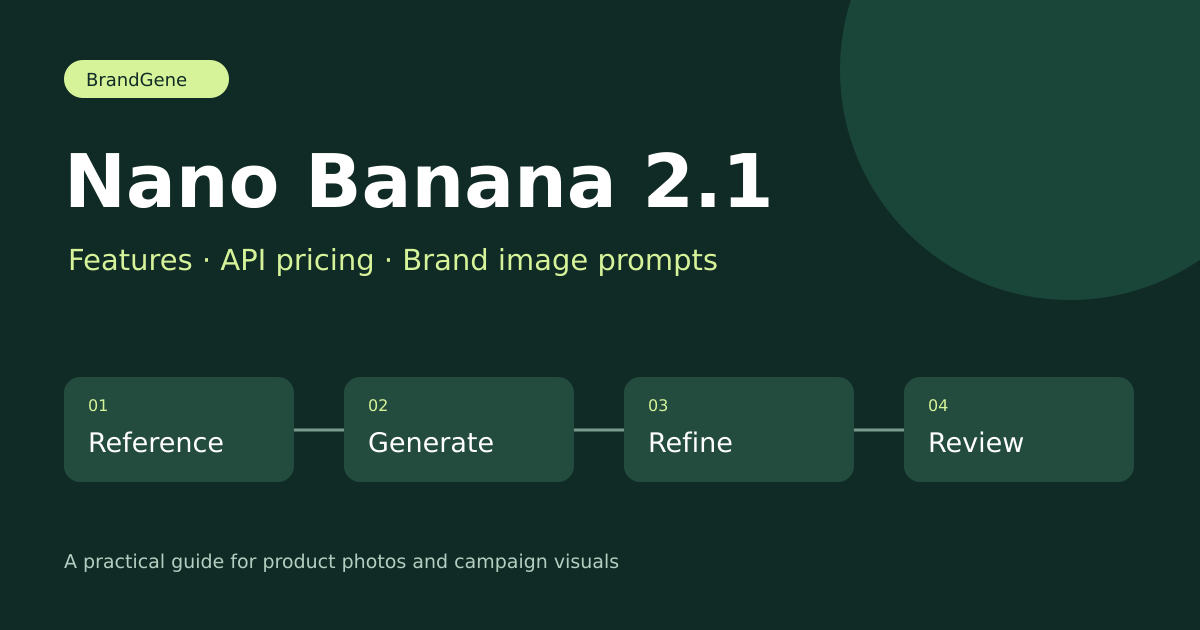
What Is Nano Banana 2.1?
The model name and API identifier are worth distinguishing before selecting a provider or migrating an integration:
| Version | Gemini API identifier |
|---|---|
| Nano Banana 2.1 | gemini-nano-banana-2.1 |
| Nano Banana 2 | gemini-3.1-flash-image |
| Nano Banana Pro | gemini-3-pro-image |
These are separate entries in Google's model directory. A platform's display name does not establish which model handled a request; check its documentation and generation details when version identity matters.
For the earlier release and its original context, see our Nano Banana 2 guide.
Nano Banana 2.1 vs Nano Banana 2: What Changed?
Google lists stronger typography and infographic layouts, improved multi-turn consistency, and fixes for tiling artifacts in panoramic 2K and 4K images. Its model-specific documentation lists 1K, 2K and 4K output, up to 14 reference images, and configurable thinking levels. Official capability details
Google DeepMind also highlights mask-based editing among the update's improvements. DeepMind's model overview
Translate those areas into a practical evaluation:
| Area to evaluate | What to inspect in your own assets |
|---|---|
| Typography | Exact spelling, punctuation, price labels, and readability at mobile size |
| Visual layout | Product placement, headline space, hierarchy, and unnecessary objects |
| Repeated editing | Whether packaging, subject identity, and composition survive a revision |
| Wide output | Repeated textures, seams, and distortion near the edges |
These checks help you decide whether an update improves your particular workflow. They do not establish a universal quality or speed advantage. Keep the same references, prompts, and output settings when comparing versions, and record the number of attempts needed for approval.
API capabilities and application controls are also different. Check which editing, search, resolution, and reference options your chosen application actually exposes.
Nano Banana 2.1 Pricing: API Costs Explained
As of October 8, 2026, Google lists these approximate Standard API image-output costs:
| Resolution | Image-output cost per image | Output-only budget for 100 images |
|---|---|---|
| 1K | $0.0336 | $3.36 |
| 2K | $0.0504 | $5.04 |
| 4K | $0.113 | $11.30 |
These are image-output equivalents, not complete request prices. Input, text or thinking output, search grounding, and additional generations can increase the total. Google's table lists no free API tier for this model. Consumer subscriptions and third-party platform credits are separate. Check the official Gemini API pricing page for current terms.
For production planning, track cost per approved asset. If you generate 100 drafts and approve 20, divide the complete workflow cost by 20. Count corrections and review time as well as generation charges.
Use 1K to explore a composition when it fits your intended output. Choose a higher resolution when the approved asset's dimensions require it; resolution alone does not repair incorrect text or product details. Review BrandGene's pricing separately from Google's API rates.
How to Use Nano Banana 2.1
Developers can start with Google AI Studio or the Gemini API and select the exact model identifier gemini-nano-banana-2.1. Google's image generation documentation covers the request and editing workflow. Access depends on the account and service requirements.
For a visual application, first inspect its current model selector and supported controls. In BrandGene, the Nano Banana product page and Image Agent are the relevant entry points to check. Availability and the displayed quote should be confirmed in the application before starting a project.
Once you have access, begin with one source image and one clearly defined output. A narrow first task makes it easier to judge the result and refine it.
Product Photography Prompt: Preserve the Product First
Choose a reference with readable packaging and a clear outline. Identify what must stay accurate before describing the creative scene.
Use the uploaded product photograph as the visual reference. Preserve the bottle shape, cap, label wording, and product color. Place it on a warm beige studio surface with soft side lighting and a realistic contact shadow. Leave clear space on the right for a headline. Do not add props or extra packaging.
After generation, compare the label and silhouette directly with the reference. Zoom in on the cap, edges, small type, and reflections. A visually appealing scene is useful only if it represents the actual product accurately.
For planning references, channels, and review requirements, follow our AI product photography guide.
Brand Campaign Prompt: Define Fixed and Flexible Details
A reusable brief separates the details that must remain accurate from choices you want to explore. Use your brand framework to specify colors, composition, tone, and exclusions.
Create a square promotional image using the uploaded product reference. Keep the product identity and label accurate. Use a restrained cream and dark-green palette, with the product in the lower half. Include the exact headline “Make room for better mornings.” Keep the background simple and add no discount badges.
This prompt gives the model a specific task and gives the reviewer a matching checklist. Check every character in generated text. For final campaign production, a separate text layer can make copy revisions and typography easier to control.
Our brand framework guide explains how to turn positioning and visual rules into reusable constraints. The Nano Banana prompt guide provides a broader prompting structure.
Refine the Result With One Focused Edit
After choosing a promising composition, request a narrow change:
Keep the product, headline, and camera angle unchanged. Change only the background to a pale sage-green studio backdrop.
Compare the whole image with the previous version. Inspect the unchanged areas as carefully as the requested edit, especially wording, packaging, and subject proportions. If several details drift, return to the approved reference rather than stacking more corrections onto an unreliable result.
Choose the operation that matches the task. When you need a transparent product cutout while preserving the source pixels, a dedicated removal tool can be a better starting point than generating a new scene. See our product background removal workflow.
Review Before Publishing
Use a short approval checklist:
- Product identity: Shape, color, packaging, and identifying details match the reference.
- Text: Headlines, prices, and label copy are spelled correctly and readable at the intended size.
- Composition: The product and any required text survive the final crop.
- Image integrity: Edges, shadows, reflections, and repeated patterns look plausible.
- Version record: Save the model identifier, prompt, references, output settings, and approved result.
For a fair model comparison, run the same brief across versions and track revision count, approval rate, elapsed time, and complete cost. The examples in this article are a way to start that evaluation; they are not evidence of measured performance.
When your brief is ready, check the current options on the Nano Banana product page, or use Image Agent to work through your creative direction.
Frequently Asked Questions
Is Nano Banana 2.1 officially available?
Yes. Google lists gemini-nano-banana-2.1 as stable in its official model documentation. Availability in a particular application must be checked separately.
Is Nano Banana 2.1 the same as Nano Banana 2?
No. They have separate API identifiers. Google describes 2.1 as an update to Nano Banana 2; use the exact version identifier when configuring an integration.
Is Nano Banana 2.1 free?
Google's current pricing table lists no free Gemini API tier for this model. Trials, consumer subscriptions, and third-party credits have their own terms; check the service you intend to use.
Does Nano Banana 2.1 replace Nano Banana Pro?
Google still lists Pro separately. Evaluate both against your required layout, product fidelity, review effort, and budget rather than choosing only by the version number.
Can it keep a brand or product consistent?
Consistency is an improvement area identified by Google. Use clear references and explicit constraints, then inspect every result. The model does not replace your brand guidelines or final review.
Do these prompts guarantee accurate labels and logos?
No. They describe the intended result. Compare the output with the original and correct or replace inaccurate elements before publishing.